The CNA “No-Photo” Reality: Phones, HIPAA, & You

June 9, 2026 · 9 min read
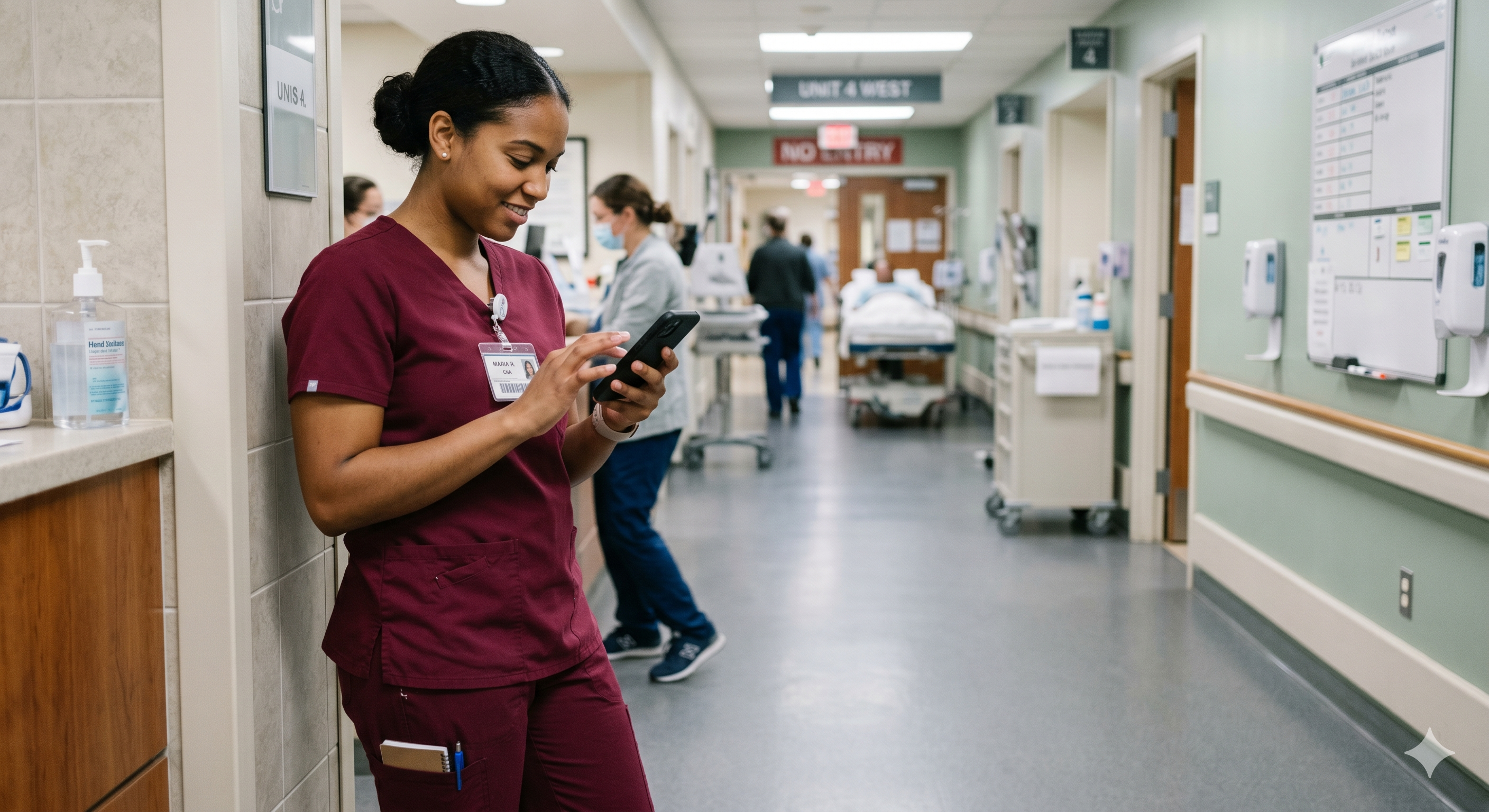
Smartphones are everywhere in healthcare. But for CNAs, “quick pics,” casual texting, and even seemingly harmless screenshots can become serious privacy violations. Regulatory attention is tightening around photography, digital documentation, and device use, and facilities are responding with stricter policies and more audits.
This guide breaks down what the emerging “no-photo” expectations mean for day-to-day CNA work, how to protect residents and yourself, and how to handle common real-world situations without freezing up or guessing.
Why “no-photo” rules are getting stricter
Healthcare compliance is becoming more digital and more trackable. Facilities are adopting stronger guardrails around patient privacy, especially when personal devices are involved. That includes:
Patient photography (even when the intent is helpful)
Social media posting (including “no names” posts that still identify someone)
Digital records access (who opened a chart, when, and why)
Secure communication vs. texting/calling from personal phones
In practice, many employers are moving toward a simple baseline: if it’s not a facility-approved device/app and you’re not authorized, don’t capture, store, send, or share anything about a resident.
What CNAs should know: PHI isn’t just a name
Protected Health Information (PHI) can include more than people realize. CNAs can accidentally disclose PHI through:
A photo that shows a resident’s face, tattoo, room number, name band, or whiteboard
A “progress pic” of a wound, bruise, rash, pressure injury, or medical device
A screenshot of a schedule, assignment sheet, or census list
A short video where someone’s voice, family member, or roommate is identifiable
A social post that names the facility, shows the unit, and describes a unique situation
Key takeaway: “I didn’t include the name” is not a reliable defense if a person can be identified in any way.
The practical rule of thumb for CNAs
When you’re unsure, use this quick test:
Could this image/text identify a resident? If yes, stop.
Is this being captured on my personal device? If yes, stop.
Is there a written policy + supervisor direction + approved workflow? If no, stop and ask.
If you want a simple personal policy: CNAs should not take patient photos or videos on personal phones—ever—unless your facility’s written policy explicitly authorizes it and your supervisor directs it for a defined, approved purpose.
Common CNA scenarios (and what to do instead)
Scenario 1: “Can you take a picture of Mom for me?”
What to do: Be kind, but hold the boundary.
Explain that staff can’t use personal phones for resident photos.
Offer alternatives: the family can take the photo themselves (if allowed), or you can ask the nurse/supervisor about the facility’s approved process.
What not to do: Don’t “just do it” because the family asked and it feels compassionate. Good intentions don’t override privacy rules.
Scenario 2: You notice a new bruise or skin change and want to “show the nurse”
What to do:
Report it immediately per facility process (verbally first if urgent).
Document only what you are authorized to document in the proper system (never in personal notes on your phone).
Use objective language: location, size estimate if trained, color, resident statement, and time discovered.
What not to do: Don’t take a photo on your phone “for accuracy.” If photos are needed, facilities typically require an approved device/workflow.
Scenario 3: A coworker texts you a resident update with identifiers
What to do:
Don’t forward it.
Move the conversation to the approved channel (facility phone, secure app, or in-person report).
Delete the message if policy directs, and notify your supervisor if required.
What not to do: Don’t reply with more PHI, even if you’re trying to “fix” the situation.
Scenario 4: You’re asked to use your phone as a flashlight, timer, or translator in the room
What to do: Ask for facility-provided tools first (unit flashlight, approved translation services, call system). If your facility permits limited use, keep your phone locked down and never capture images/audio.
Pro tip: Even “utility use” becomes risky if notifications pop up, your camera opens accidentally, or someone assumes you’re recording.
A CNA-ready digital compliance checklist (daily use)
Before shift: Silence notifications or use Focus mode; keep lock screen private (no message previews).
On the floor: No patient photos/videos; no screenshots of schedules, assignments, or charts.
Communication: Use only facility-approved channels for patient-related info.
Documentation: Chart in the approved system, on approved devices, within your scope.
Social media: Never post resident stories, “shift selfies,” or unit photos, even if residents aren’t visible.
If you make a mistake: Report immediately. Prompt reporting can reduce harm and shows professionalism.
How to set boundaries without sounding rude (scripts CNAs can use)
When family asks for a photo:
“I’d love to help, but staff can’t take resident photos on personal phones. If you’d like, I can ask the nurse about the facility’s approved process.”
When a coworker wants to text PHI:
“Let’s use the approved method for patient info—can we discuss at the nurses’ station or through the secure system?”
When someone wants a quick pic of a skin issue:
“I can report what I’m seeing right now. If a photo is needed, the nurse can follow the facility’s process with an approved device.”
What facilities are changing behind the scenes (and why it matters to you)
Many employers are rolling out more digitized compliance management—meaning systems that track chart access, device use rules, documentation timeliness, and policy acknowledgments. For CNAs, this can feel like “more pressure,” but it also creates clarity: you’ll be expected to follow specific workflows, not informal shortcuts.
If you’re in training or considering classes, choose a program that takes professionalism and compliance seriously—because these expectations follow you into every clinical setting. You can learn more about CI Institute of Nursing’s programs and requirements through the program catalog and explore upcoming options on the class calendar.
Training takeaway: privacy is part of compassionate care
Respecting privacy isn’t just about avoiding trouble—it’s about dignity. Residents deserve to feel safe during vulnerable moments like bathing, toileting, dressing changes, transfers, and end-of-life care. A “no-photo” mindset supports that trust.
If you’re building your CNA foundation (or refreshing it), it helps to learn from instructors who model real-world professionalism. See CI Institute of Nursing’s mission and training approach on the About Us page, or visit CI Institute of Nursing for an overview.
How to protect yourself if you witness a privacy concern
If you see a possible HIPAA/privacy issue (for example, a coworker filming, posting, or saving images):
Prioritize resident safety and dignity (end the exposure if you can do so safely and respectfully).
Follow the chain of command (charge nurse/supervisor). Keep it factual, not accusatory.
Do not spread it (no “heads up” group texts, no sharing images).
Document per policy if you are instructed to complete an incident report.
Remember: reporting a concern is not “snitching.” It is patient advocacy and professional accountability.
FAQ: CNA phone use, photos, and HIPAA
Can a CNA take a resident photo if the resident says it’s okay?
Usually, no—at least not on a personal phone. Consent alone may not meet facility policy requirements. Follow written policy and supervisor direction using approved devices/workflows.
What if the family asks and promises they won’t post it?
Still risky. CNA actions must follow facility policy and privacy standards, regardless of a family’s intentions. Offer alternatives (family takes the photo themselves if allowed, or involve the nurse/supervisor).
Can I text another CNA about an assignment or a resident’s condition?
Texting on personal phones is commonly restricted for patient information. Use facility-approved communication tools and keep patient identifiers out of informal channels.
Are “shift selfies” okay if no residents are in the picture?
Often not. Even without residents visible, photos can reveal facility location, room numbers, whiteboards, charts, and other identifiers. When in doubt, don’t post workplace content from clinical areas.
What should I do if I accidentally took a photo that includes PHI?
Stop sharing immediately, delete it if your policy directs, and report it to your supervisor right away. Prompt reporting is critical for mitigation and compliance steps.
Where can I learn more or ask questions about training expectations?
Start with the CI Institute of Nursing FAQs for common questions, or reach out directly through Inquire Now if you want guidance on enrollment, policies, and what to expect in class.
In conclusion
The safest mindset for CNAs today is simple: no photos, no screenshots, no casual texting of patient info. When you stick to approved tools and clear reporting/documentation processes, you protect resident dignity, your certification, and your career.
If you’re ready to step into CNA training with strong professional habits from day one, explore program details in the catalog and check upcoming start dates on the class calendar.

Administrator
CI Institute of Nursing offers a comprehensive Certified Nursing Assistant training program in Campbell, CA — preparing students for rewarding careers in healthcare.


